
Recording podcasts remotely used to mean sacrificing audio and video quality or dealing with cumbersome setups. Today, platforms like Riverside.fm have transformed this experience by providing powerful, user-friendly tools that make remote podcast production seamless. Whether you’re a founder launching a podcast for your brand, a marketer promoting content, or a builder looking to streamline your recording workflow, Riverside.fm offers features that cater to your needs.
High-Quality Recording with Local Audio and Video
One standout feature of Riverside.fm is its ability to record audio and video locally on each participant’s device. This approach ensures top-notch quality, free from internet connection glitches that often plague remote recordings.
Key benefits include:
- Separate tracks: Each guest’s audio and video are recorded individually, allowing precise post-production control.
- Up to 4K video resolution: Deliver your podcast or video show with crystal-clear visuals that impress your audience.
- Minimal lag: Real-time conversation is smooth, helping maintain natural interactions among participants.
Users can rely on this setup to create podcasts that sound as if everyone recorded in the same studio, enhancing listener engagement and professional appeal.
Advanced Editing Tools Built In
Editing can be the most time-consuming part of producing a podcast. Riverside.fm simplifies this with built-in tools designed to polish your recordings without the need for external software.
- Magic Audio: Automatically cleans and enhances audio quality by reducing background noise and balancing sound levels.
- Magic Clips: Generate short, engaging clips directly from your recordings to promote episodes on social media effortlessly.
- Screen sharing and media board: Perfect for demos or adding visual context during video podcasts.
For marketers or founders, these features cut down editing time, allowing you to focus on marketing and distribution.
Collaboration Made Easy
Teamwork is critical when managing podcasts with co-hosts, guests, or production teams. Riverside.fm’s collaboration workspaces address this need effectively.
- Shared workspaces: Centralize assets and recordings for easy access by all team members.
- Role-based access: Manage permissions, ensuring everyone has appropriate control without compromising security.
- Team management: Assign tasks or segments within the platform to streamline project workflows.
This setup is ideal for growing podcasts or businesses looking to improve efficiency and communication within their content teams.
Live Streaming and Audience Interaction Options
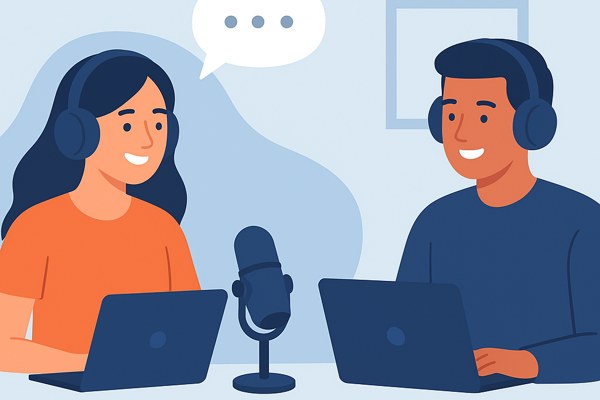
Reaching audiences in real-time is essential for engagement and building community. Riverside.fm’s live streaming capabilities include multi-stream support to platforms like YouTube, Facebook, LinkedIn, and Twitch.
- Live call-in feature: Invite audience members to join live broadcasts, increasing interactivity.
- Multi-streaming: Simultaneously broadcast to multiple social media channels to maximize reach.
- Virtual studio tools: Incorporate teleprompters, image/video overlays, and virtual backgrounds to enhance the professional look of your live content.
These features empower marketers and content creators to build stronger connections with their audiences in authentic, engaging ways.
Flexible Plans for Every User
Riverside.fm offers pricing tiers designed to scale with your podcasting needs:
- Free plan: Ideal for beginners, includes 2 hours of recording per month, 720p video resolution, and basic editing tools.
- Standard plan ($19/month): Adds 5 hours of recording, 1080p video, and removes the watermark.
- Pro plan ($29/month): Offers 15 hours recording, 4K video, AI-powered transcription, and more advanced editing.
- Business plan: Custom pricing, unlimited recording, dedicated onboarding, priority support, and compliance with enterprise security standards, suited for larger teams and organizations.
For startups and solo creators, starting on the free or Standard plan is easy and scalable as your show grows.
Quick Checklist Before You Record
- Test internet connections for all participants.
- Ensure everyone uses compatible browsers (no software installation required).
- Set up roles and permissions in the shared workspace beforehand.
- Prepare promotional clips using Magic Clips post-recording.
- Plan live stream destinations and enable live call-ins if engaging audiences in real-time.
- Use transcription features for captions and SEO-friendly episode notes.
Conclusion: Start Recording with Confidence
Remote podcast recording no longer means settling for subpar quality or complicated setups. Riverside.fm’s robust features for high-quality local recordings, collaborative workflows, handy editing tools, and live streaming help creators and teams produce professional podcasts from anywhere.
Whether you’re launching your first episode or scaling your branded podcast, Riverside.fm offers a range of plans that suit different needs and budgets. Visit the Growth section on Inspire Tech Today for tips on promoting your podcast after you record, and explore Riverside.fm’s official site to find the plan that fits your workflow best.
Take the step today to elevate your remote podcasting experience with a tool designed to deliver quality, ease, and collaborative power all in one place.