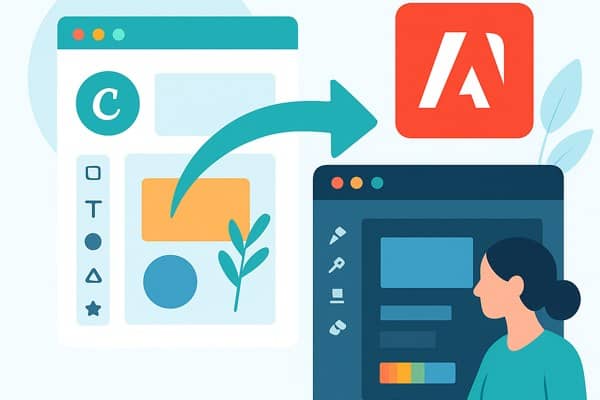
For everyday designers, marketers, and app creators, design tools need to be accessible, affordable, and powerful enough to handle a variety of tasks without the steep learning curve or high subscription costs. In recent years, Canva has emerged as a strong alternative to Adobe’s suite by focusing on usability and cost-efficiency, and its recent acquisition of Serif Europe’s Affinity suite has further strengthened its position. Let’s explore why Canva is becoming the preferred choice for non-developers and everyday creators alike.
A Shift to More Affordable Design Solutions
Adobe Creative Cloud has long dominated creative software, offering a comprehensive suite of applications such as Photoshop and Illustrator. However, its subscription pricing model—ranging from $39.99 to $69.99 per month for advanced plans—can be a significant barrier for individuals and small businesses.
Canva’s recent strategic move to acquire Serif Europe’s Affinity suite and rebrand it as a unified, free application has disrupted this model. Affinity now offers professional-grade photo editing, vector design, and desktop publishing tools free of charge, with optional premium features accessible through a Canva Pro subscription.
- Access to quality design tools without ongoing subscription fees
- Canva Pro subscription priced lower than Adobe’s premium plans
- Seamless integration between Canva and Affinity tools
This pricing strategy makes it easier for startups, marketers, and non-developers to start designing professionally without hefty upfront or monthly costs.
Unified, User-Friendly Tools that Meet Everyday Needs
While Adobe’s software excels in advanced, high-end design workflows, many everyday creators are better served by tools that balance capability with simplicity. Canva’s platform originally gained popularity because it allowed users to create graphics quickly using templates and a drag-and-drop interface.
By merging Affinity Photo, Designer, and Publisher into one streamlined app, Canva provides a more powerful but still accessible alternative suitable for diverse design tasks:
- Photo editing for marketing visuals or social media content
- Vector design for logos and branding elements
- Desktop publishing for reports, brochures, or presentations
This combination means users can switch between different types of projects without needing multiple apps or a steep learning curve.
Integration Strengthens Workflow Efficiency
The unified Affinity app paired with Canva’s online design platform creates a dynamic ecosystem. Marketers, founders, and app builders benefit from this integration by:
- Starting projects in Canva’s browser-based editor for ease and collaboration
- Exporting elements to the Affinity app for more detailed refinement and customization
- Using one account and subscription tier to access both tools efficiently
This approach aligns with modern workflows where speed, collaboration, and flexibility are crucial for productivity.
Considering Alternatives: What Else Is Out There?

While Canva with Affinity now offers an impressive, cost-effective package, several other options still exist for everyday designers:
- Adobe Express: Offers a free plan and a premium plan at $9.99/month, providing simplified editing and publishing tools.
- Pixelmator Pro: Mac-only, priced at $49.99 with strong photo and graphic editing features.
- GIMP: A free, open-source editor ideal for photo manipulation and graphic design but with a steeper learning curve.
Each alternative has its pros and cons, but Canva’s Affinity integration stands out by combining accessibility, variety, and cost advantages.
Quick Checklist for Choosing Your Design Tool
- Budget: Do you want to avoid subscription fees or opt for low-cost monthly plans?
- Skill level: Do you prefer simplified drag-and-drop tools or professional-grade controls?
- Design needs: Are you mainly focused on social media graphics, vector logos, or desktop publishing?
- Platform: Do you need web-based access, desktop apps, or both?
- Collaboration: Does your team require easy sharing and multi-user editing?
Conclusion and Next Steps
The design tool landscape is evolving, with Canva’s acquisition and rebranding of Affinity marking a pivotal moment. This development makes powerful creative software accessible to non-developers, marketers, and startup founders at a fraction of the cost previously required. By embracing easy-to-use interfaces and combining different types of design tools into a single free app, Canva is challenging Adobe’s long-standing dominance.
If you are looking to improve your productivity and streamline your creative workflows, consider exploring the Affinity app on Canva as an alternative to Adobe Creative Cloud. Start with the free versions to evaluate their suitability for your projects, and upgrade to Canva Pro if you need additional features or cloud-based collaboration.
For more insights on productivity tools and app marketing strategies, check out our productivity guides here on Inspire Tech Today. To dive deeper into Canva’s offerings, visit their official site at canva.com.