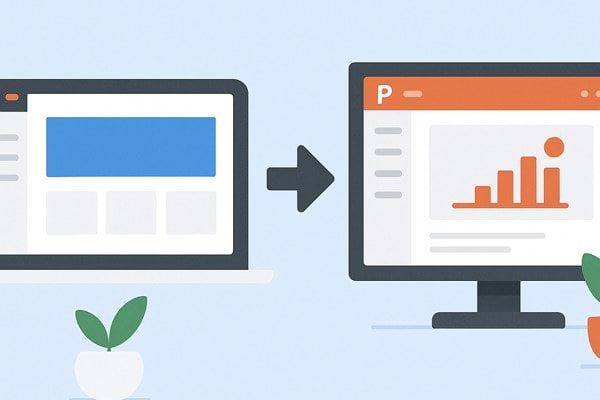
Creating presentations can often feel like a time-consuming chore, especially if you are not a designer or tech expert. Fortunately, modern tools have simplified this process dramatically. Gamma is one of those tools that stands out by making presentation creation faster and more intuitive than traditional software like PowerPoint. Whether you are a founder preparing investor decks, a marketer crafting campaign pitches, or a builder looking to showcase ideas, Gamma offers a refreshing way to bring your content to life without the usual hassle.
Streamlined Design Process
PowerPoint has been a staple in presentation software for years but often requires manual adjustments to get slides looking polished. Gamma changes this by automatically generating slide designs based on your content. Instead of fiddling with layouts, fonts, and colors, you simply enter your text or data, and Gamma creates a visually engaging presentation instantly.
- Pre-built design templates that adjust dynamically to your content.
- Automatic formatting ensures consistent and professional slide appearance.
- Easy drag-and-drop interface that avoids the clutter of traditional slide menus.
This focus on automation reduces the effort needed to create beautiful slides, letting you concentrate on your message rather than design details.
Unlock Content Generation Features
Beyond layout, Gamma helps with the content itself. Instead of starting with a blank slide, Gamma can assist you in generating text, structuring presentations, and suggesting relevant visuals to strengthen your storytelling. This is especially useful for users who struggle with drafting or organizing their ideas.
- Prepares draft outlines or key points based on initial prompts.
- Suggests graphics and images tailored to the topic automatically.
- Supports quick iteration of drafts, enabling rapid refinement.
Such features reduce the time spent brainstorming and increase productivity, which is a key advantage over the more manual input PowerPoint demands.
Flexible Collaboration Options
Collaborating on presentations can be complex with traditional desktop software. Gamma simplifies teamwork with built-in real-time editing, comments, and sharing tools. Paid plans enable co-editing, meaning team members can simultaneously update presentations without version conflicts.
- Real-time co-editing to keep everyone on the same page.
- In-slide comments for direct and contextual feedback.
- Cloud-based access, removing the need for sending files back and forth.
These collaborative features make Gamma especially valuable for marketing teams, startups, or cross-functional groups working under tight deadlines.
Affordable and Accessible Pricing

Gamma offers a compelling free plan that grants 400 AI deck credits, allowing users to generate multiple presentations without a subscription. This is ideal for individuals or small teams testing the platform or only needing occasional presentation work.
- The Plus plan at $8 per user/month adds benefits like unlimited credits and branding removal.
- The Pro plan at $15 per user/month unlocks advanced features and priority support.
- Export options include PDF and PowerPoint formats, ensuring compatibility with most workflows.
In comparison, PowerPoint typically requires an Office 365 subscription and more formal training to unlock its full potential.
Checklist for Smooth Presentation Creation with Gamma
- Gather core content or data points before starting your deck.
- Use Gamma’s templates to create a cohesive visual style quickly.
- Leverage automated content suggestions to structure your story.
- Invite collaborators early to provide feedback through comments.
- Export your finished presentation in your preferred format for sharing.
Looking Beyond Gamma
While Gamma offers an excellent all-around experience, there are other tools catering to different needs. For narrative-driven storytelling, Tome offers interactive, web-style presentations. If brand consistency is key, Beautiful.ai provides smart templates tailored to company style guides. For Google Slides and PowerPoint users wanting integrated enhancements, Plus AI adds AI-assisted content creation directly to those platforms.
Exploring these options alongside Gamma will help you find the perfect balance between design automation, collaboration, and control.
Conclusion and Next Steps
If you want a practical and time-saving way to create visually appealing presentations without the steep learning curve of PowerPoint, Gamma is a strong choice. By automating design and helping with content, it empowers non-designers and small teams to produce professional results quickly. Start with the free plan to experiment with its features, then consider upgrading for enhanced collaboration and limitless decks. With the right tools, creating impactful presentations can be easier and more effective than ever before.