
Enhancing photos quickly and professionally is no longer reserved for expert photographers or designers. With today’s advanced editing tools, anyone can transform ordinary pictures into stunning images with just a few clicks. Whether you want to clean up your marketing visuals, improve product photos, or create polished personal images, the right software saves time and boosts your results.
Why Automated Photo Editing Matters
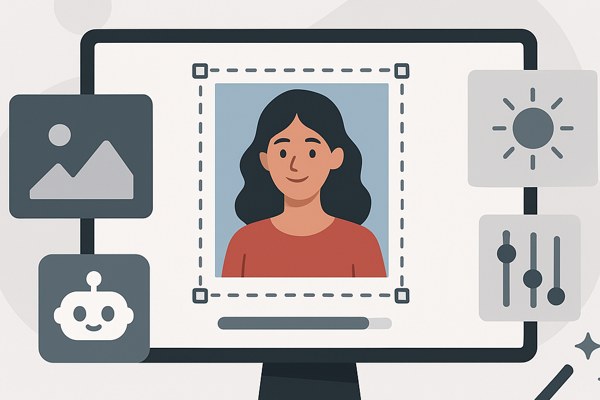
Manual photo editing can be slow, complicated, and require a steep learning curve. Automated editing tools help by analyzing your photos and applying improvements instantly or with minimal input. This can mean better lighting, sharper details, noise reduction, or creative effects—without needing expert skills.
- Increases productivity by reducing editing time
- Delivers consistent quality across batches of images
- Allows non-professionals to produce professional-grade results
- Frees you up to focus on other tasks like marketing and content creation
Choosing Tools That Fit Your Needs
When selecting automatic photo editors, consider your goals and workflow. Are you restoring old photos? Enhancing portraits? Preparing product images? Also think about integration with platforms you use, such as Lightroom or Canva. Many tools now offer AI-enhanced features tailored to specific use cases, making it easier to pick the right ones.
Explore these options and see which blend of capabilities, ease-of-use, and output quality fits your business or project requirements best.
Must-Try Photo Enhancement Software
Adobe Photoshop
Adobe Photoshop continues to be a leader in creative editing, now with features like Generative Fill and Neural Filters. These allow users to automatically replace backgrounds, smooth skin, and apply style transfers with simple controls. If you want flexible yet powerful editing that integrates seamlessly with professional workflows, Photoshop is a top choice.
Luminar Neo
Luminar Neo simplifies complex edits like sky replacements, portrait retouching, and lighting refinements. Its intuitive interface helps you quickly transform photos into visually striking images without extensive manual adjustments. This makes it great for creators looking to add creative flair with minimal effort.
Topaz Photo AI
Topaz Photo AI specializes in noise reduction, sharpening, and upscaling images while preserving fine details. It excels at improving low-light shots or old photographs that need enhanced clarity. The tool is ideal for those needing to elevate image quality efficiently without sacrificing texture or authenticity.
Canva Magic Layers
Canva’s Magic Layers feature converts flat images into editable multi-layer files. This enables greater design flexibility as you can independently adjust elements, add new graphics, or tweak backgrounds within the same file. Perfect for marketers and content builders who want to upgrade images directly within a design platform.
Remini
Remini focuses on enhancing low-resolution and vintage photos by upscaling and restoring detail. It is especially useful for digitizing old family photos or enhancing social media images that started with poor quality. With Remini, even pixelated shots gain sharpness and vibrancy quickly.
Aftershoot
Aftershoot combines AI-powered culling with editing and retouching, learning your editing style to streamline large photo batches. It’s very handy for photographers or marketers managing events with hundreds of images requiring consistent enhancements and fast turnarounds.
Imagen AI
Designed for portrait and wedding photography, Imagen AI produces consistent, professional edits directly within Lightroom Classic. It speeds up post-processing without sacrificing the natural look of images, ideal for anyone aiming for a polished yet authentic finish.
DxO PureRAW 6
DxO PureRAW 6 enhances RAW photo processing with advanced noise reduction (DeepPRIME XD3) and optimized DNG compression. This tool is essential if you shoot with Bayer sensors and want to maximize image quality before further creative editing.
CorelDRAW 2026
CorelDRAW’s latest update introduces AI-powered image editing tools including Stable Diffusion 3.5 and Flux Schnell. These features enable both generation and fine editing within the same environment, ideal for graphic illustrators and designers seeking innovative enhancements.
Tips for Making the Most of Automated Editors
- Start with high-quality original images to maximize enhancement potential
- Use batch processing features to save time on multiple photos
- Experiment with preset looks and styles to find one that fits your brand
- Combine tools when needed—like noise reduction in Topaz and design tweaks in Canva
- Regularly update software to access new features and improvements
Quick Checklist Before Committing to a Tool
- Does it support the file formats you work with (JPEG, RAW, PNG)?
- Is the interface user-friendly for your skill level?
- Does it integrate well with your existing platforms (Lightroom, Canva, etc.)?
- Are the editing outputs consistent and high-quality?
- Does the tool offer enough automation without sacrificing creative control?
Conclusion: Elevate Your Visuals Efficiently
Automated photo editing tools have transformed the way founders, marketers, and creators improve images, making professional results achievable without the steep learning curve. From Adobe Photoshop’s comprehensive suite to specialized apps like Remini and Aftershoot, you have options tailored for every photo challenge. Start by determining your editing needs, try a few of the recommended tools, and leverage automation to enhance productivity and creativity.
For more insights on software and productivity hacks, visit our AI Tools category and check out detailed reviews and guides. Discover how these innovations can help you build better apps, market smarter, and save time.
Explore Adobe Photoshop further at Adobe’s official site and get started on transforming your photos today.